Real-Time Team Collaboration &
Project Management Workspace
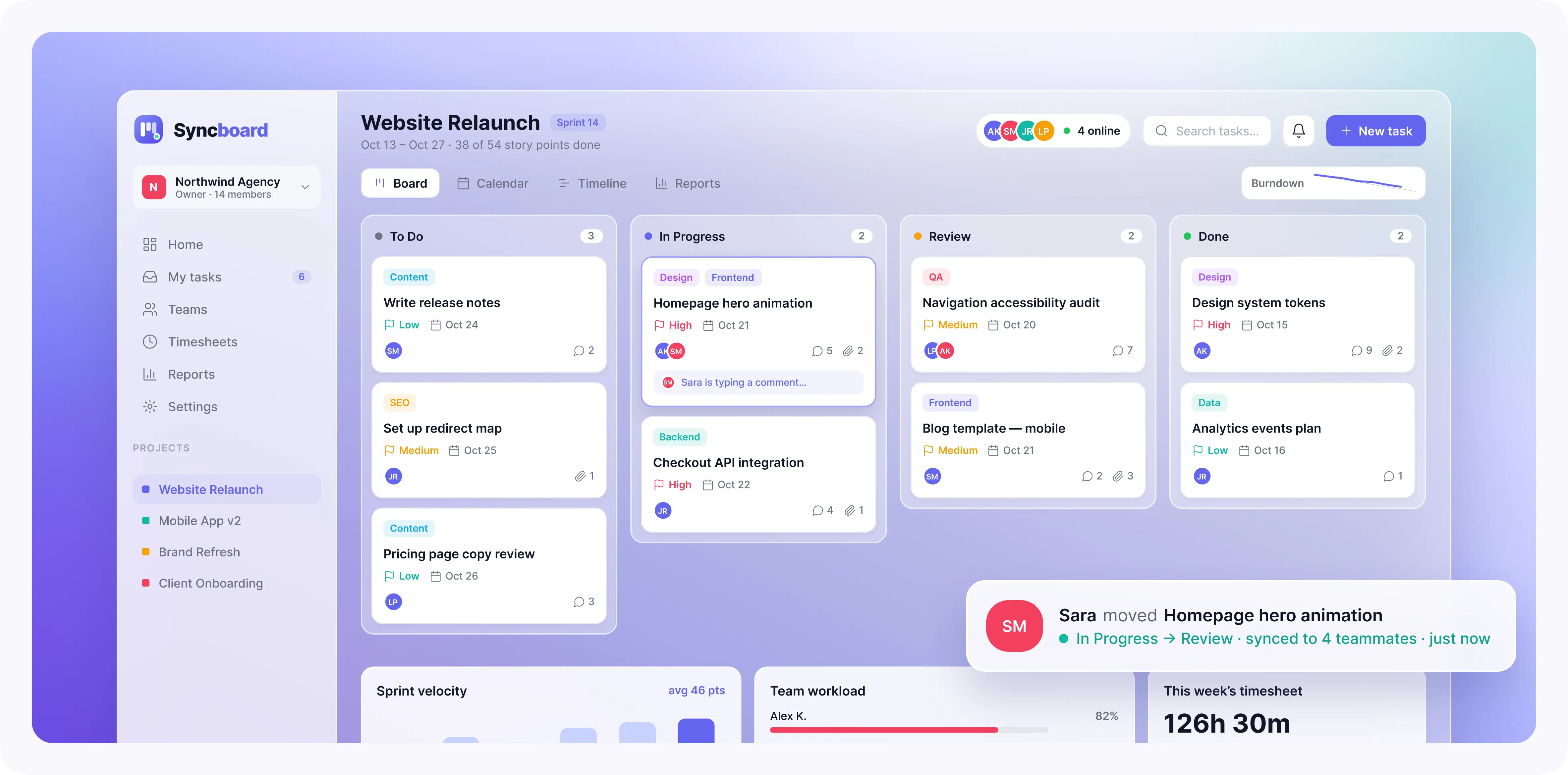
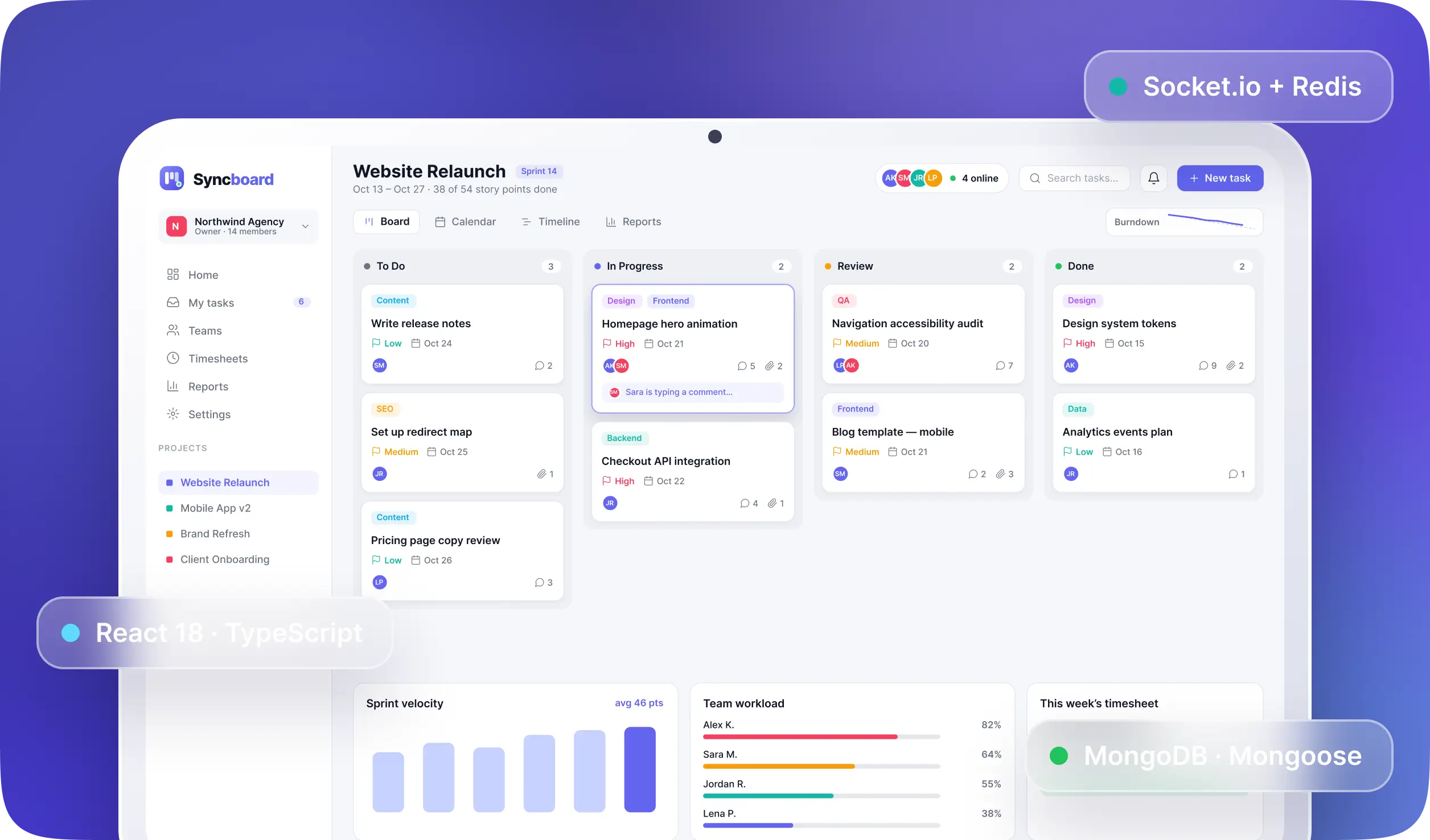
Real-Time Team Collaboration & Project Management Workspace brings task management, sprint planning, file sharing, and team discussions into one platform. Built for small agencies, startups, and freelance teams, it gives each organization a separate workspace to manage projects with clear roles and permissions. We developed this MERN-based collaboration platform so teams can work on the same boards without constantly refreshing pages or chasing updates. Task changes, comments, and board movements appear in real time, while activity history keeps a record of who changed what and when. From planning the next sprint to reviewing time spent on client work, teams have one place to keep work moving.
Keep Projects Moving With Real-Time Updates and Clear Team Accountability
Challenges
Building a shared project management workspace meant handling more than tasks and deadlines. The platform needed to keep everyone's view consistent while protecting each organization's data.
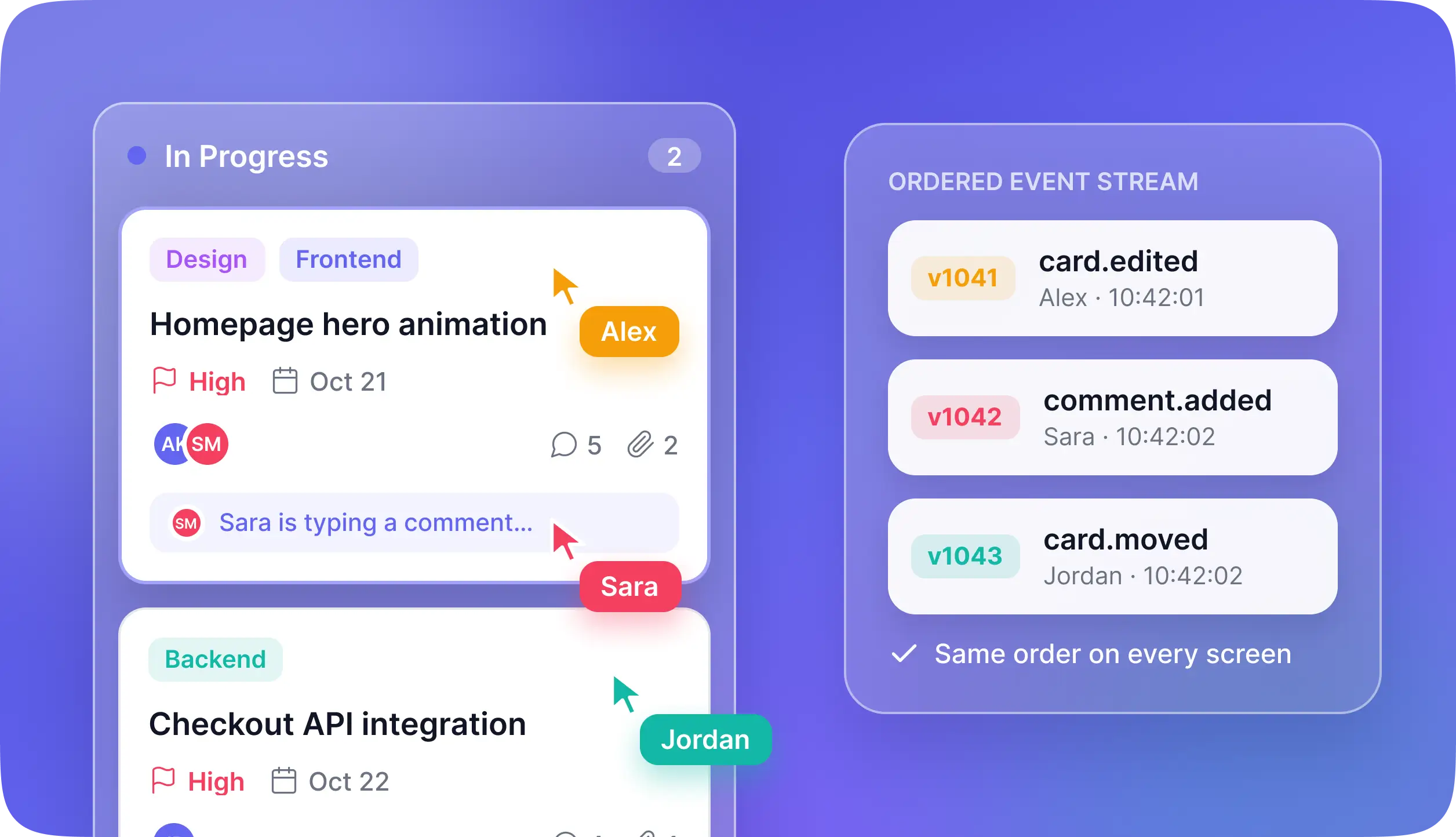
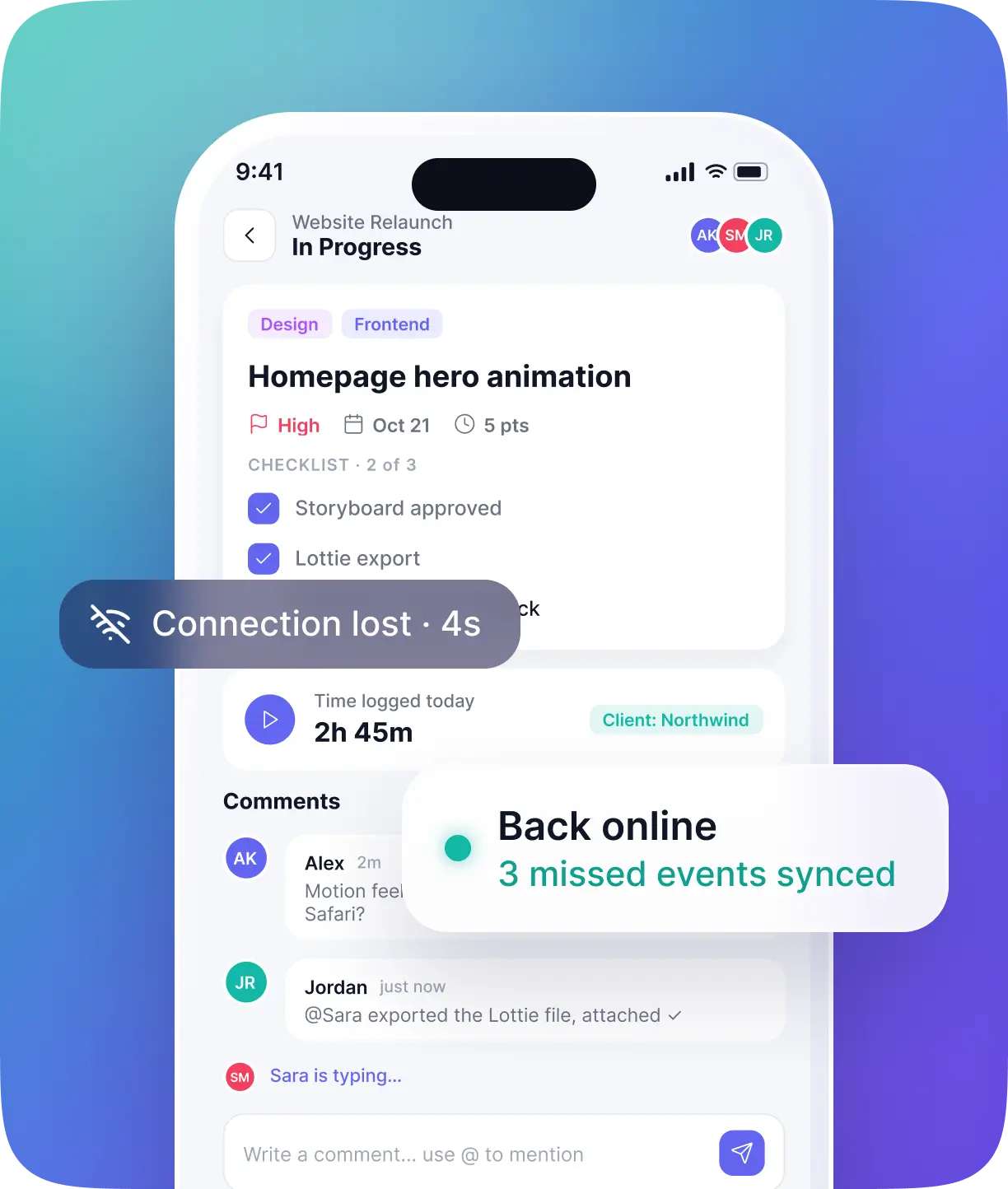
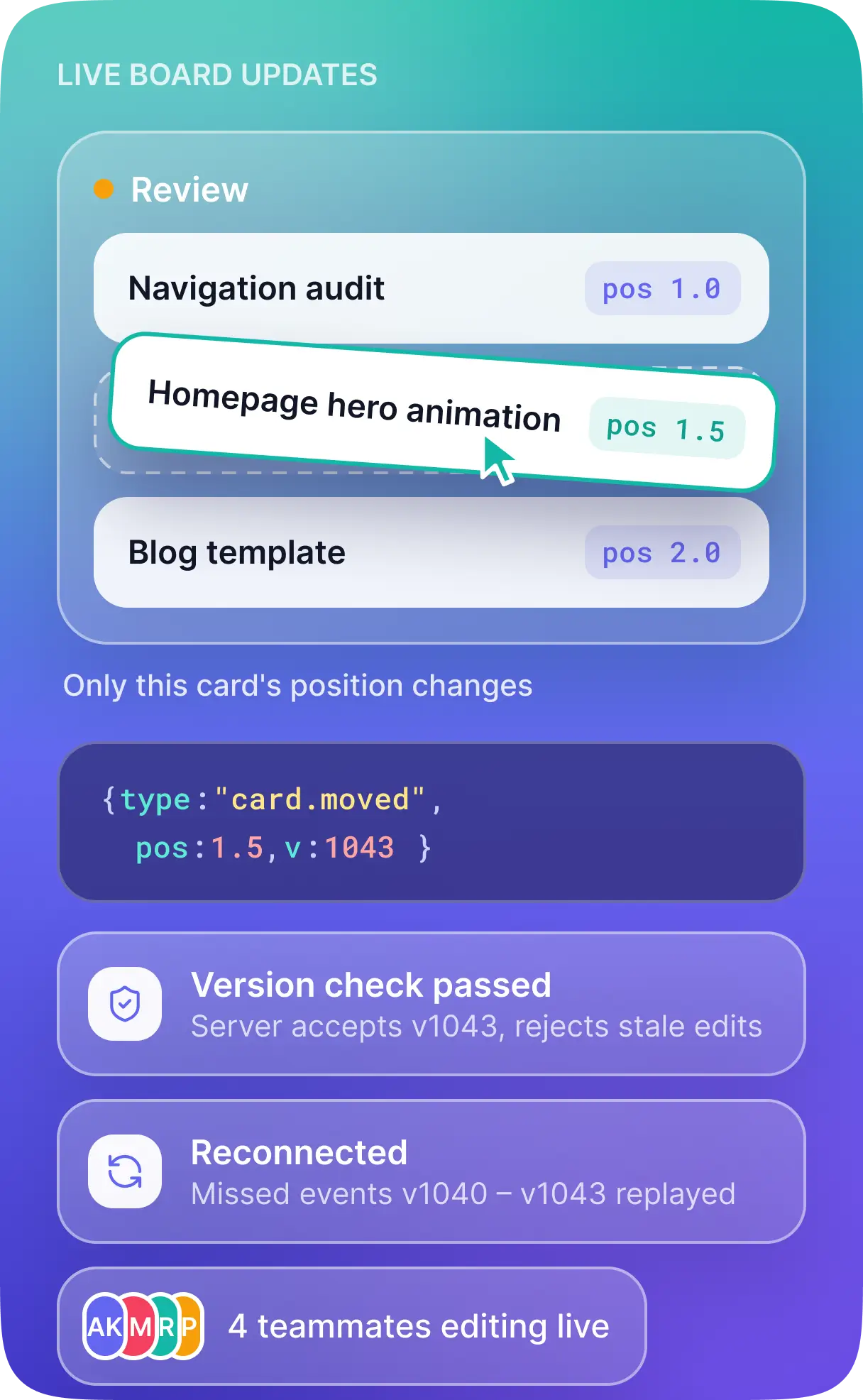
- Several people could update the same board at once. Team members might move cards, edit details, and add comments within seconds of each other. Those changes needed to reach everyone in the right order, including users returning after a brief connection drop.
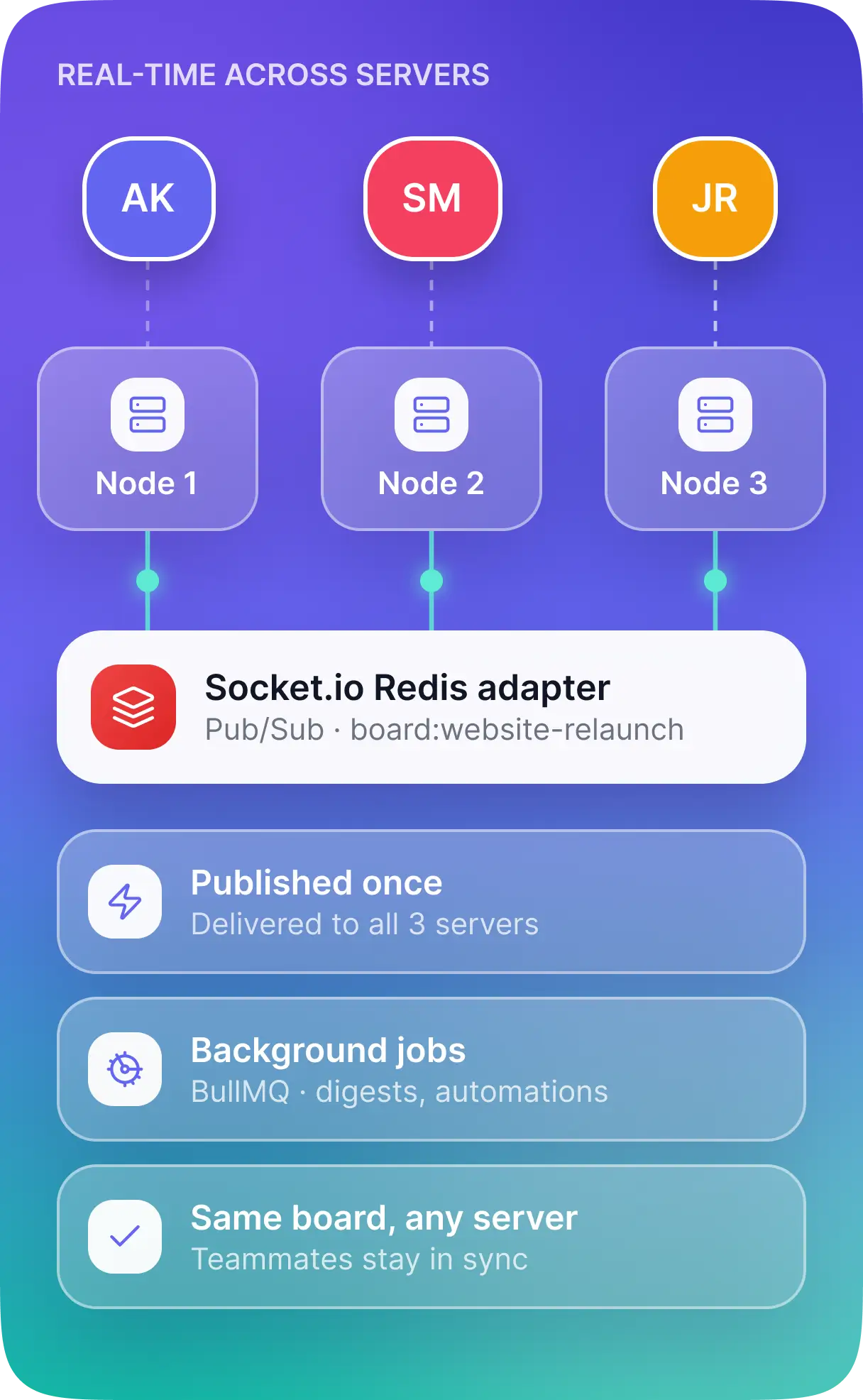
- Real-time updates had to work across multiple servers. As the application scaled across Node.js instances, users connected to different servers still needed to receive the same board updates.
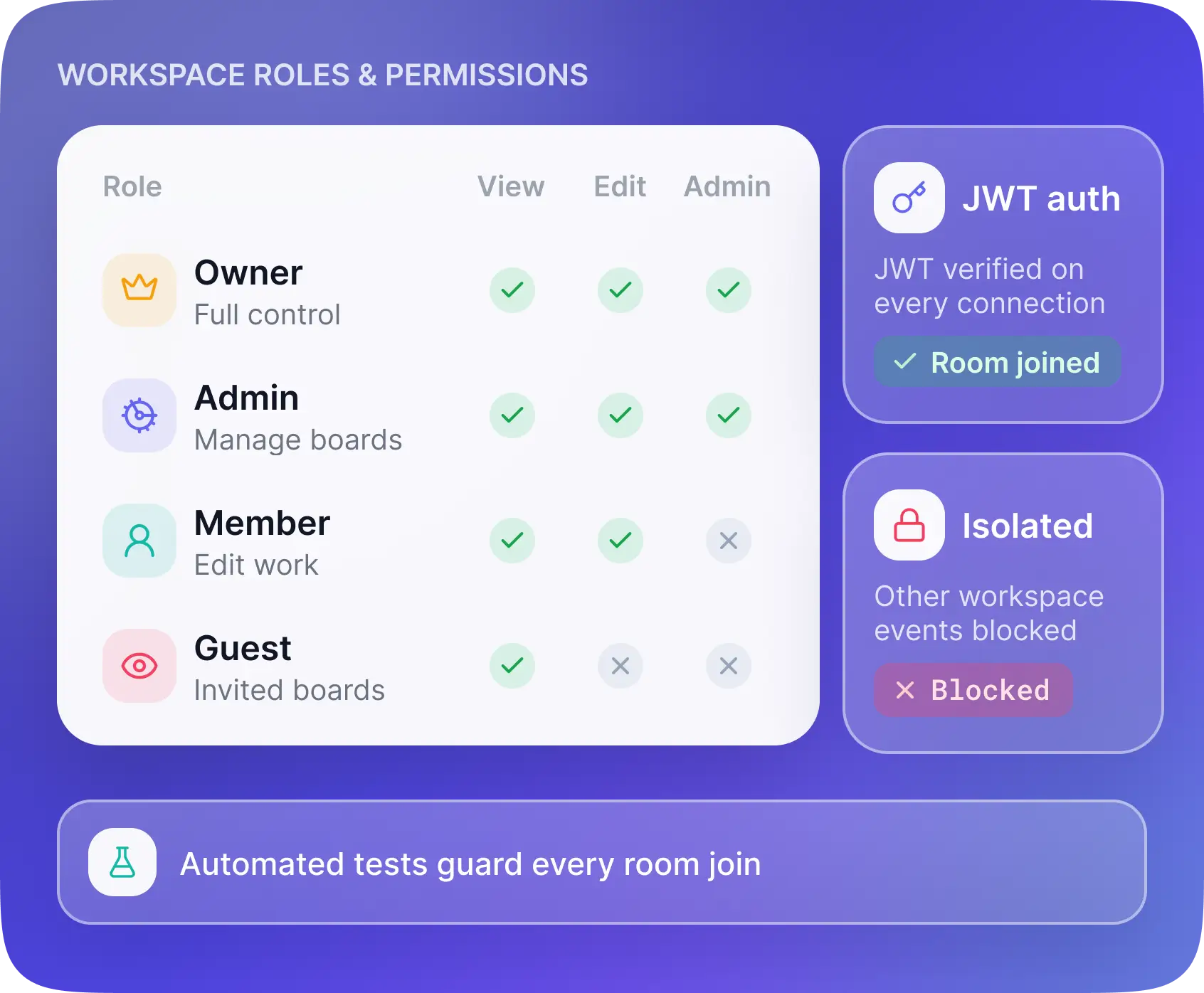
- Workspace access needed strict boundaries. Owners, admins, members, and guests required different permissions. Guests could only access the boards they were invited to, and users from one organization could not receive another organization's events.
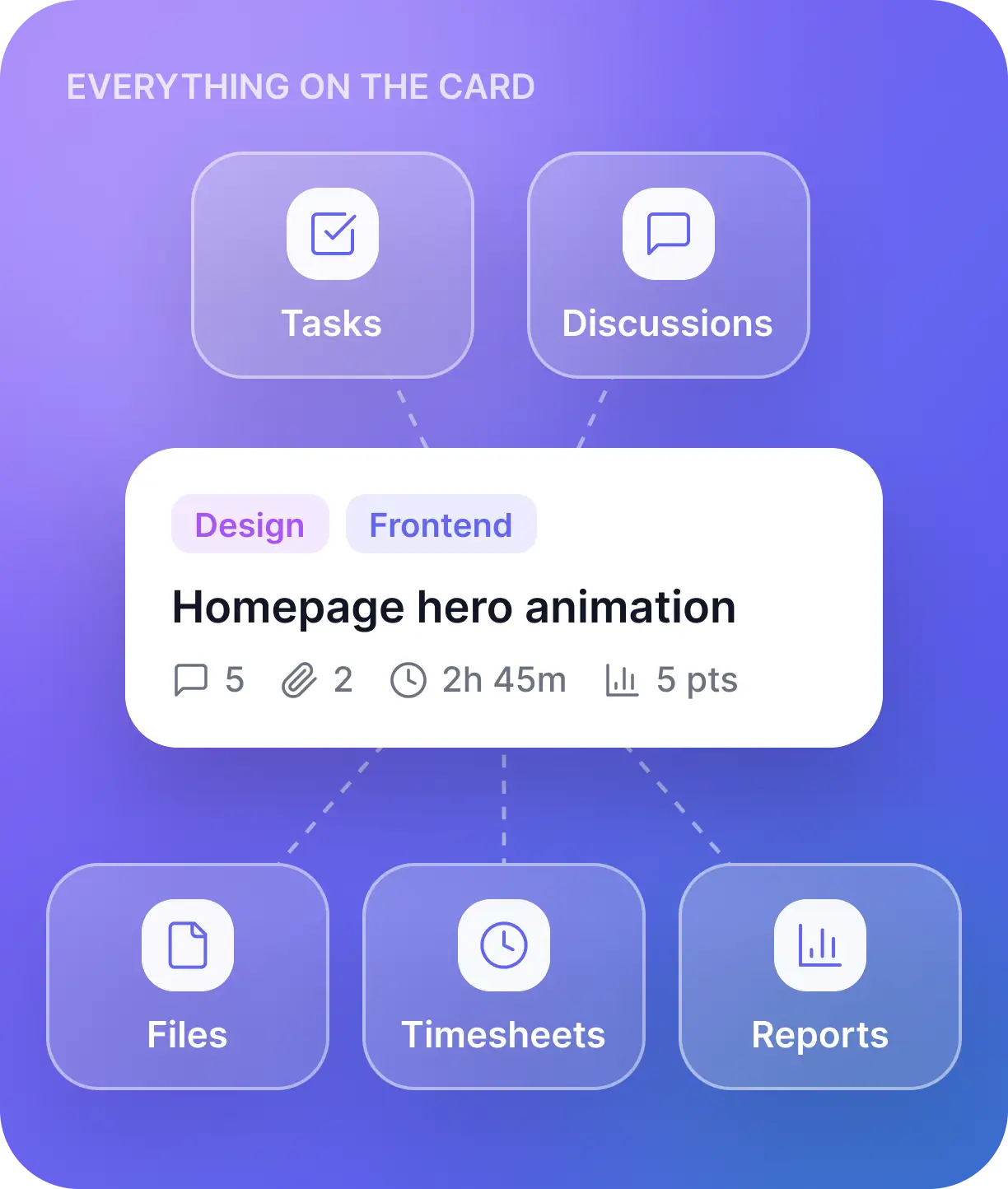
- Project information needed to stay connected. Tasks, discussions, files, timesheets, and reports had to remain easy to follow. Teams needed enough detail to manage their work without losing the everyday simplicity of a task board.
Our Approach
We built the custom project management software around shared workspaces, live updates, and permission checks across both API requests and real-time connections.
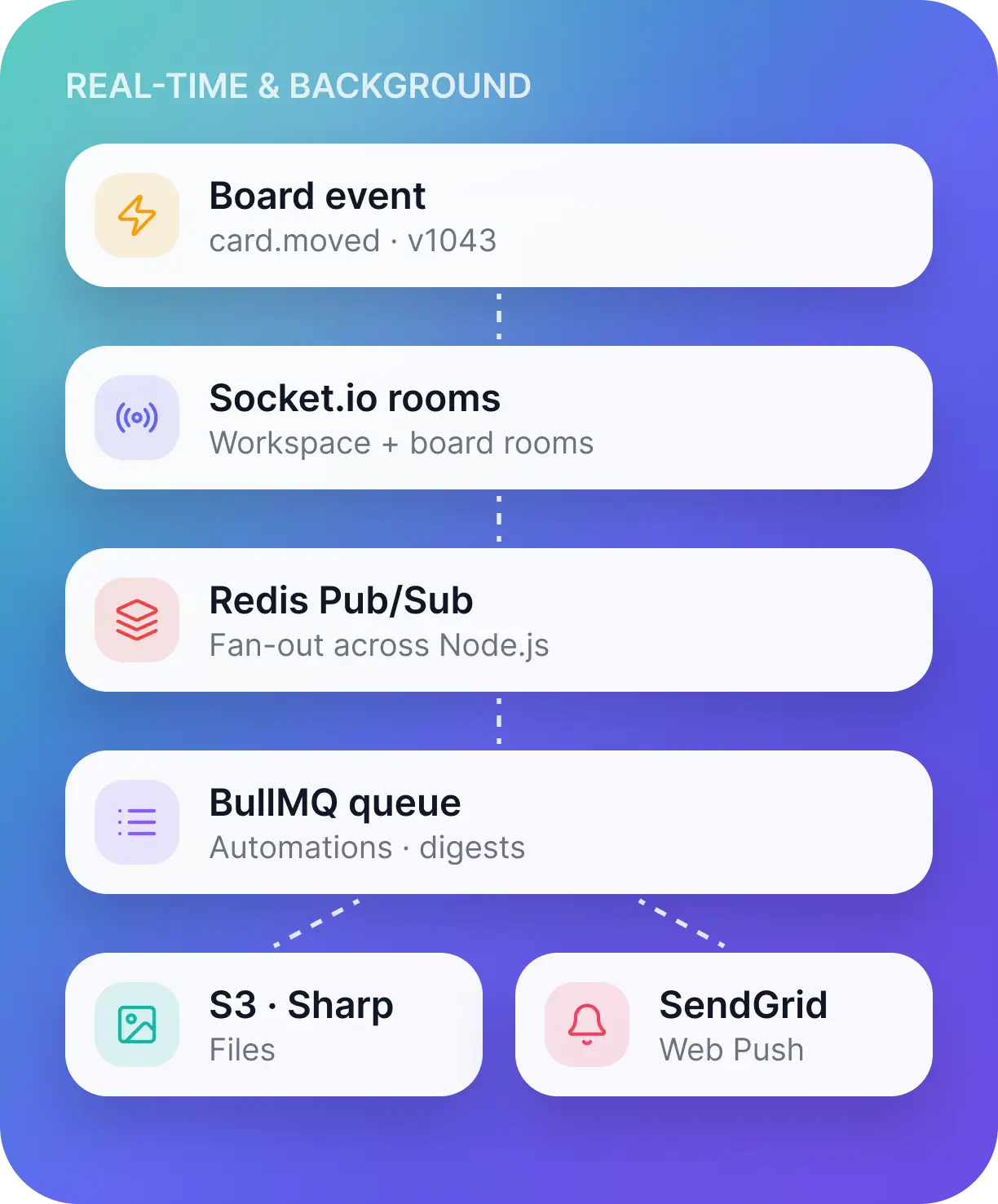
- Consistent board updates. We used Socket.io workspace and board rooms to send small, versioned changes instead of reloading entire boards. Fractional indexing allowed cards to move without rewriting every position in a column, while server-side version checks helped manage competing edits. Reconnecting users requested the events they had missed.
- Real-time delivery across servers. The Socket.io Redis adapter distributed events between Node.js instances. This allowed teammates connected to different servers to receive updates to the same board.
- Controlled access to each workspace. Socket connections were authenticated using JWTs, and every room join was checked against workspace membership and board permissions. Automated tests checked that unauthorized users could not subscribe to another workspace's events.
- Connected planning and delivery. We brought Kanban boards, sprint backlogs, task discussions, time tracking, and reporting into the same workflow. Members could plan work, discuss it on the relevant card, attach files, and log time without moving those activities into separate tools.
Development & Framework
- Core Stack: MongoDB, Express.js, React, Node.js
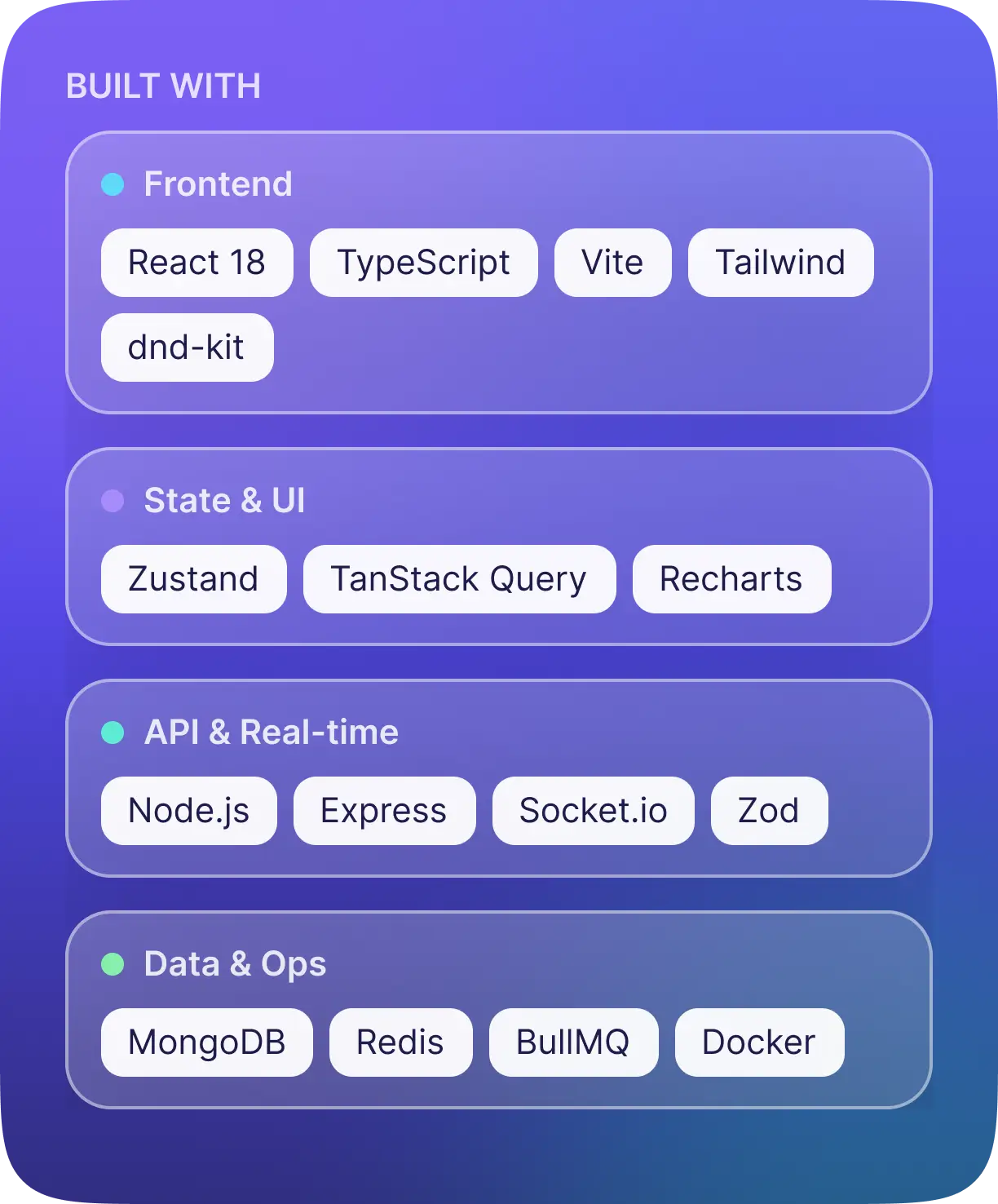
- Frontend: React 18, TypeScript, Vite
- State Management: Zustand, TanStack Query
- Interface and Boards: Tailwind CSS, Headless UI, dnd-kit
- Charts and Timelines: Recharts, date-fns, Gantt component
- Real-Time Communication: Socket.io with Redis adapter
- Database and Caching: MongoDB, Mongoose, Redis
- Background Processing: BullMQ
- File Storage and Processing: AWS S3, Sharp
- Notifications: Nodemailer, SendGrid, Web Push
- Authentication: JWT, Google OAuth through Passport.js, bcrypt
- Validation and API Protection: Zod, Helmet, rate limiting
- Testing: Jest, Supertest, Playwright
- Deployment Tooling: Docker, Docker Compose, GitHub Actions, Nginx
- Deployment Options: AWS ECS or Railway
- Logging and Monitoring: Winston, Sentry
Key Features
Live Kanban Boards
Task changes, comments, and card movements appear in real time, so everyone works from the same board without refreshing.
Sprint Planning & Time Tracking
Prioritize backlogs, assign story points, review burndown and velocity, and log time against the cards it belongs to.
Workspace Roles & Permissions
Owner, Admin, Member, and Guest roles keep each organization's workspace separate and control what each person can view or change.
Project Reports & Activity History
Reports show workloads, completion rates, and time spent, while the activity audit trail records who changed what and when.
Structure/Layout
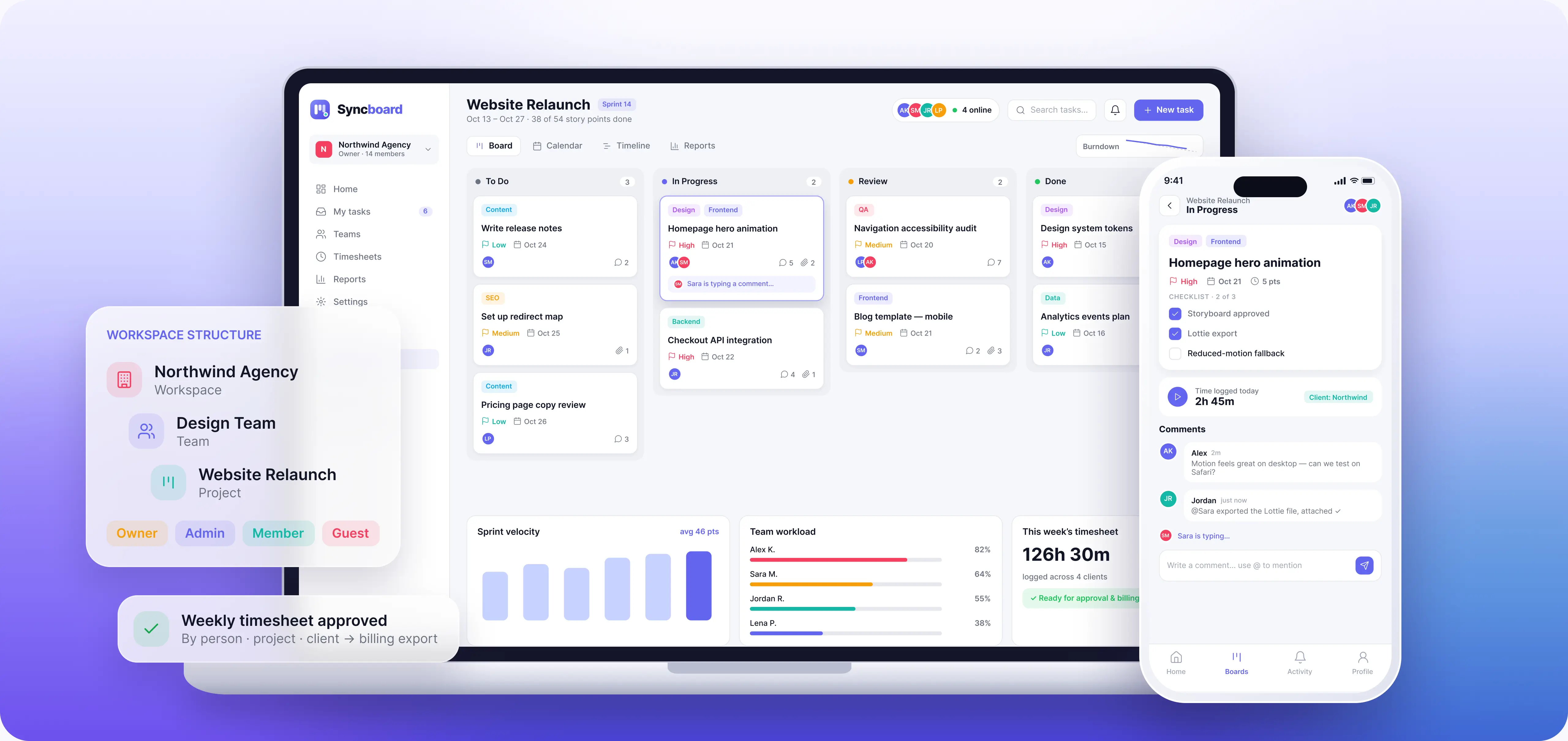
Each organization works inside its own workspace, with teams and projects organized beneath it. Owner, Admin, Member, and Guest roles determine what each person can view or change. Within a project, teams manage tasks on Kanban boards with customizable columns, swimlanes, assignees, labels, priorities, due dates, and checklists. Cards hold the details around the work: threaded comments, mentions, reactions, attachments, and logged time. Presence indicators and typing notices help teammates see when others are working alongside them. For sprint-based work, teams can prioritize backlogs, assign story points, and review burndown and velocity charts. Calendar and Gantt views show scheduled tasks and dependencies, flagging conflicts when dates move. Weekly timesheets bring logged hours together by person, project, and client, with approval and export for billing. Reports show workloads, completion rates, overdue tasks, and time spent. File version history supports earlier-file restoration, while the activity audit trail keeps task and permission changes traceable.
Branding & Visuals
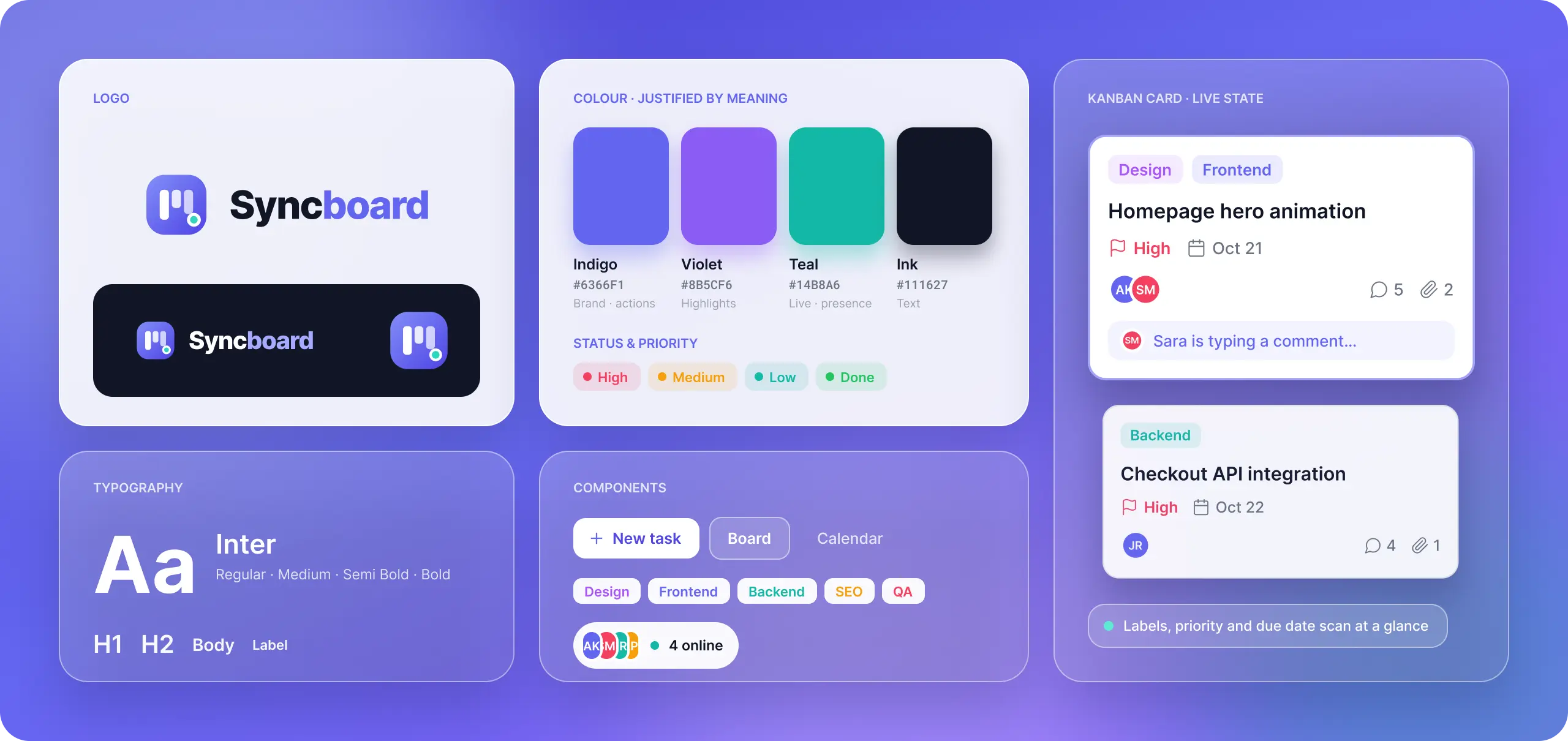
The interface centres on the work teams check every day: what needs attention, who owns it, and what comes next. Kanban cards use labels, priorities, and due dates to make tasks easier to scan, while responsive layouts support access across different screen sizes.
- Boards, calendars, timelines, and reports offer different views of the same project
- A team member can focus on an assigned task, while a manager reviews workload or sprint progress without rebuilding the information elsewhere
- Live presence indicators and updates make collaboration visible, with enough detail when someone needs to look closer

Start Your Journey With Us
Need custom project management software built around the way your team works? Red Star Technologies can help you develop a collaboration platform with real-time boards, connected workflows, and workspace permissions.
Tell us what your team needs to plan, track, and deliver.
Discuss Your Collaboration Platform