FlowPilot AI
AI-Powered Workflow Automation
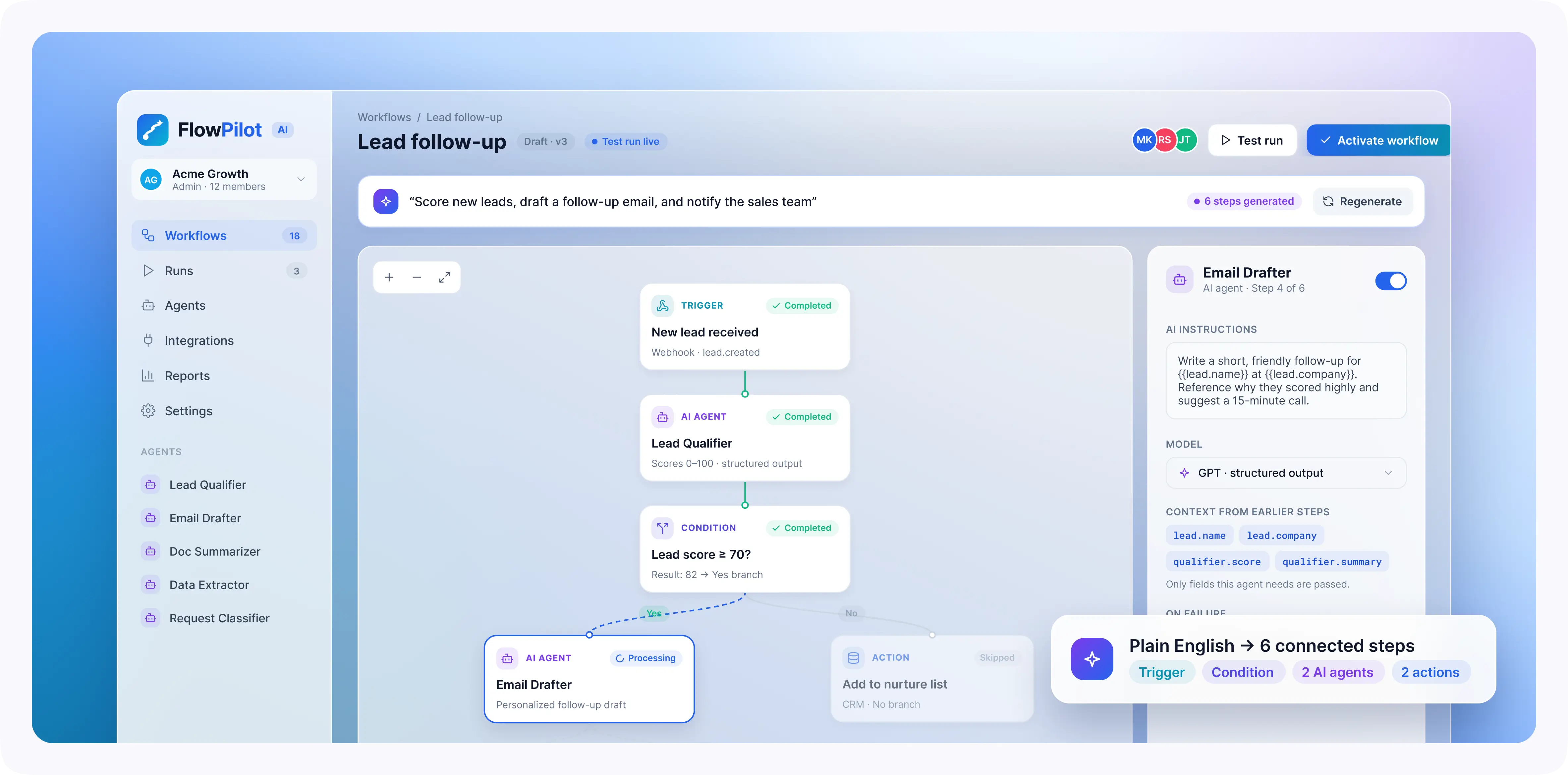
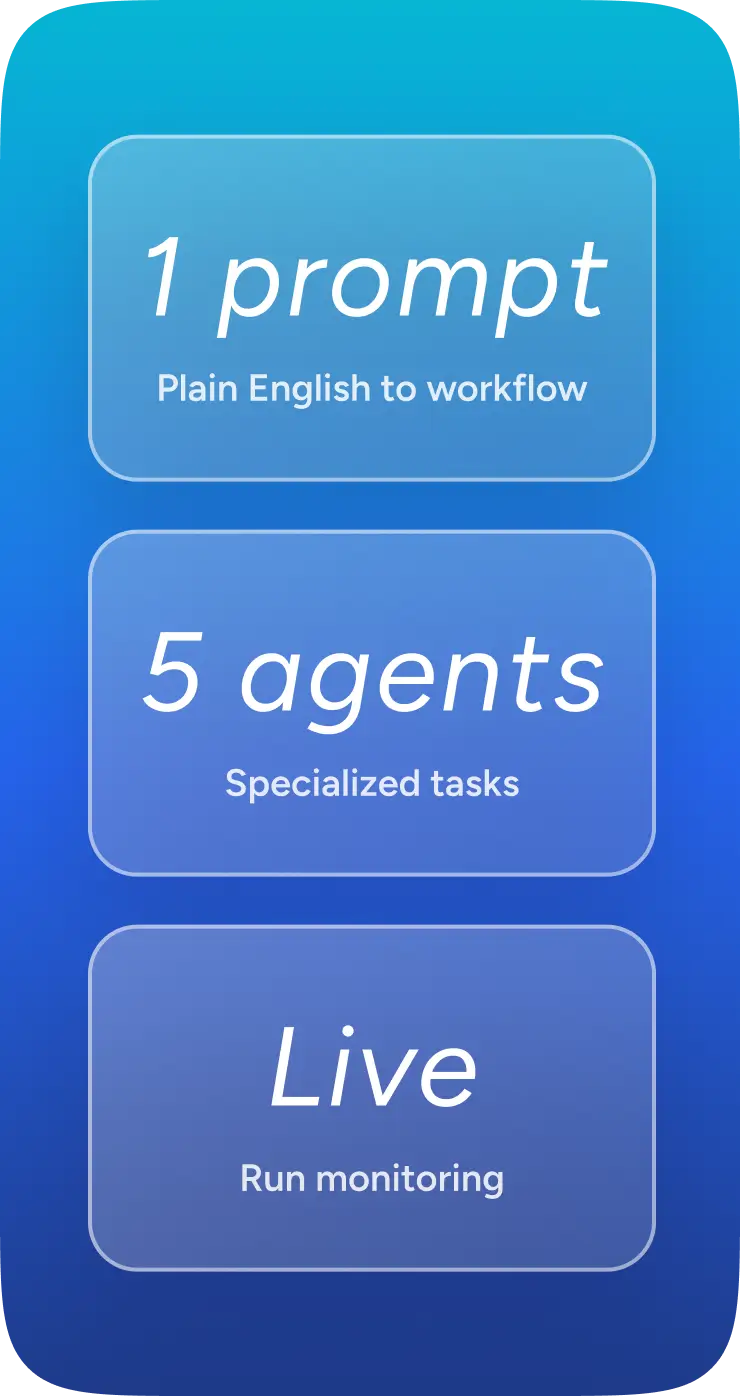
FlowPilot AI is an AI-powered workflow automation platform designed to connect everyday business tasks, from qualifying leads to processing documents and routing customer requests. Users describe what they need in plain English, and the platform turns those instructions into a structured workflow they can review and adjust before activation. A request such as “score new leads, draft a follow-up email, and notify the sales team” becomes a connected sequence of triggers, conditions, AI actions, and notifications. Specialized agents handle individual tasks, while a live dashboard shows what is running, what has finished, and where something needs attention. Less switching between tools. A clearer view of the work.
Turn Everyday Business Processes Into Connected AI Workflows
Challenges
Business workflow automation needs more than an AI-generated response. Instructions must become executable steps, information needs to move between systems, and failures must be handled without repeating completed work.
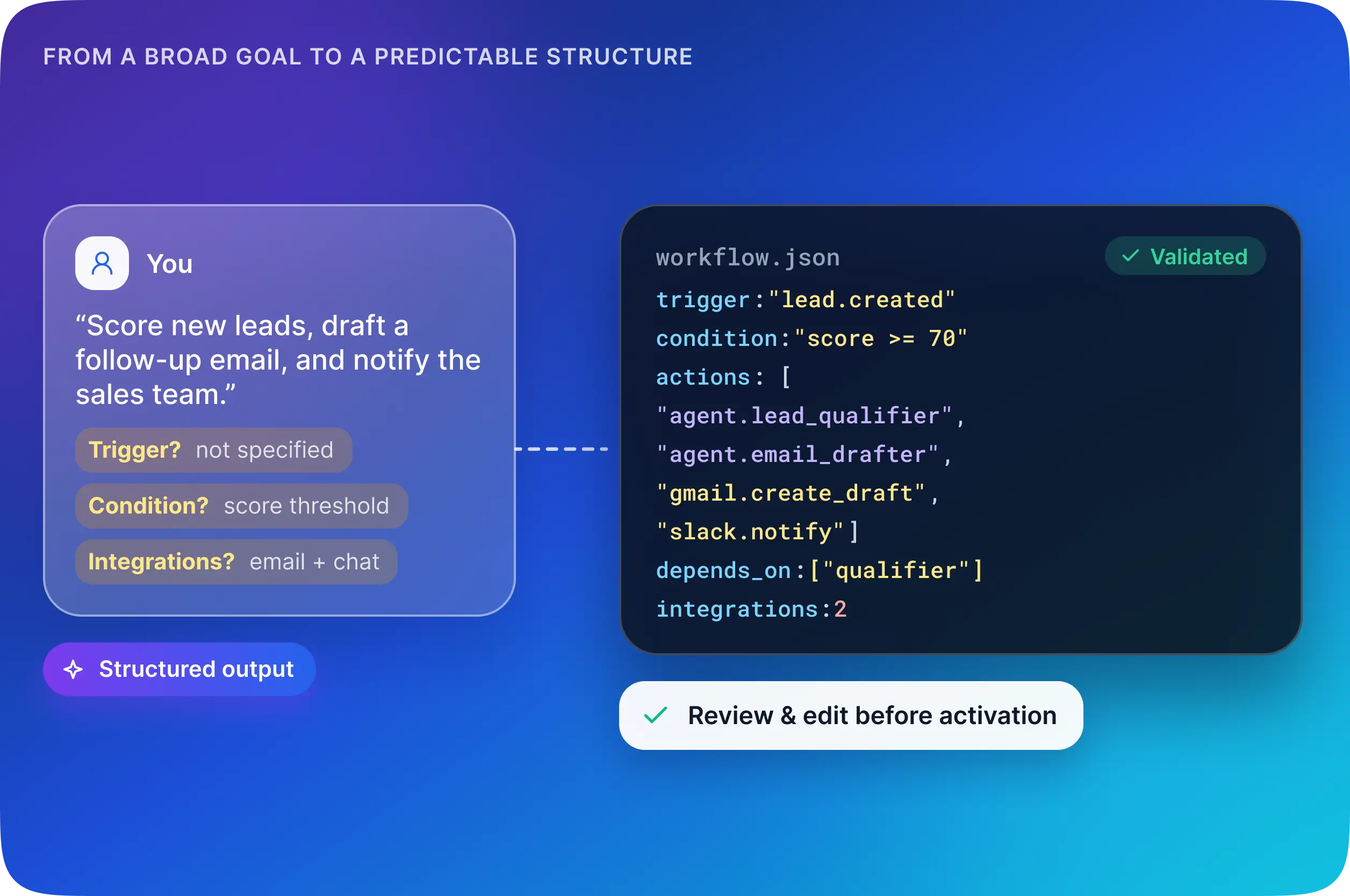
- Turning incomplete instructions into usable workflows. Users may describe a broad goal without specifying the trigger, conditions, or required integrations. The platform needs a predictable workflow structure before it can execute those instructions.
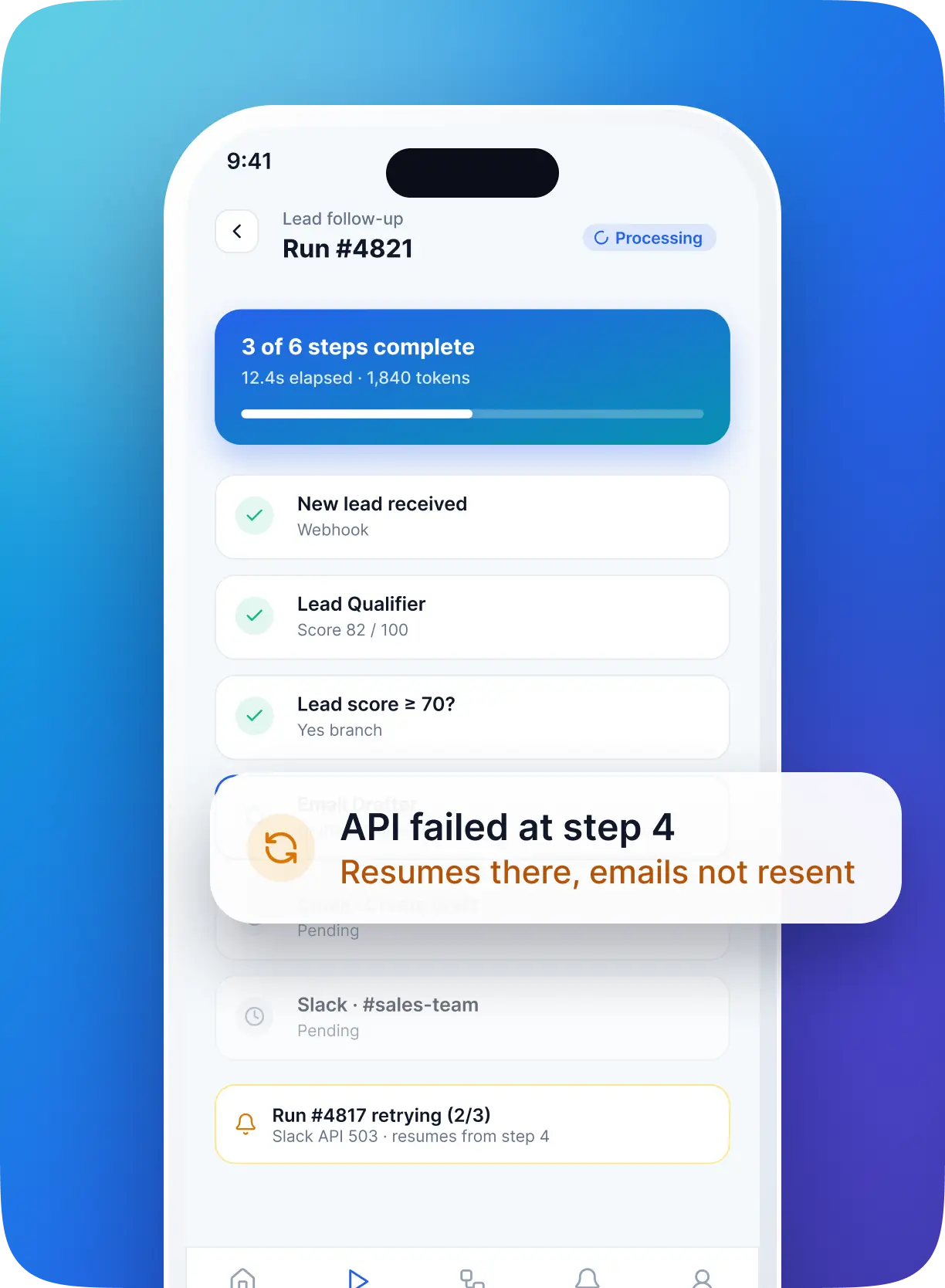
- Recovering from failures partway through a process. An external API might fail after several steps have already finished. Restarting the whole workflow could repeat completed actions, including emails and notifications.
- Keeping the application responsive during long-running tasks. AI requests, document processing, and external integrations can take time. Running everything within a single web request risks slow responses and timeouts.
- Sharing the right information between agents. Each agent may need results from earlier steps, but passing the entire execution history adds unnecessary context, token usage, and processing time.
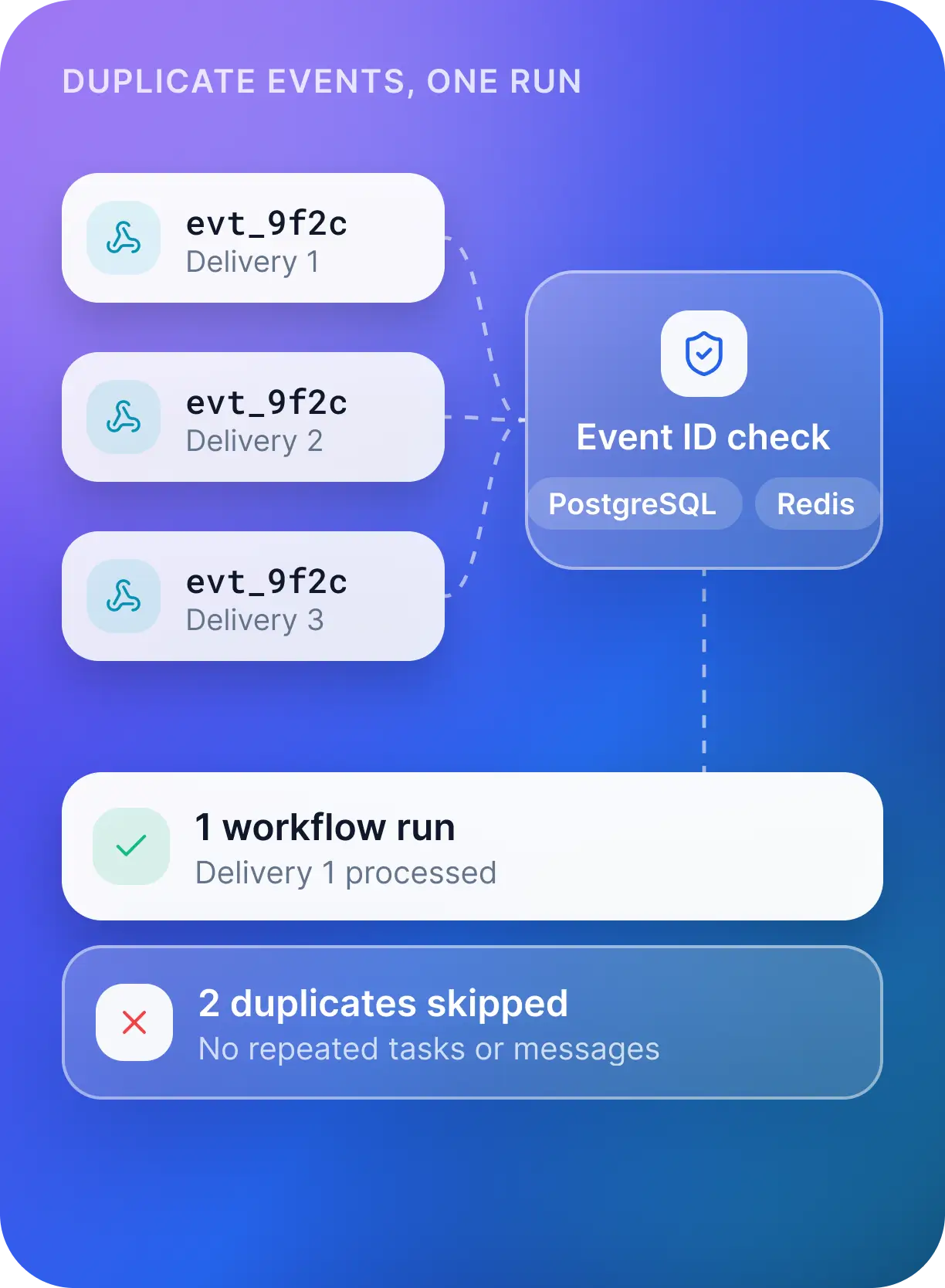
- Handling duplicate incoming events. Webhooks can deliver the same event more than once. Without checks, one business event could trigger repeated tasks or messages.
Our Approach
The platform combines structured AI outputs with background processing and persistent execution records, giving users a practical way to build and monitor business automations.
- Generate workflows with a defined structure. OpenAI structured outputs and tool calling produce workflow definitions containing triggers, conditions, actions, dependencies, and integration requirements. The backend validates those definitions before execution, and users can review and modify the steps in a visual editor.
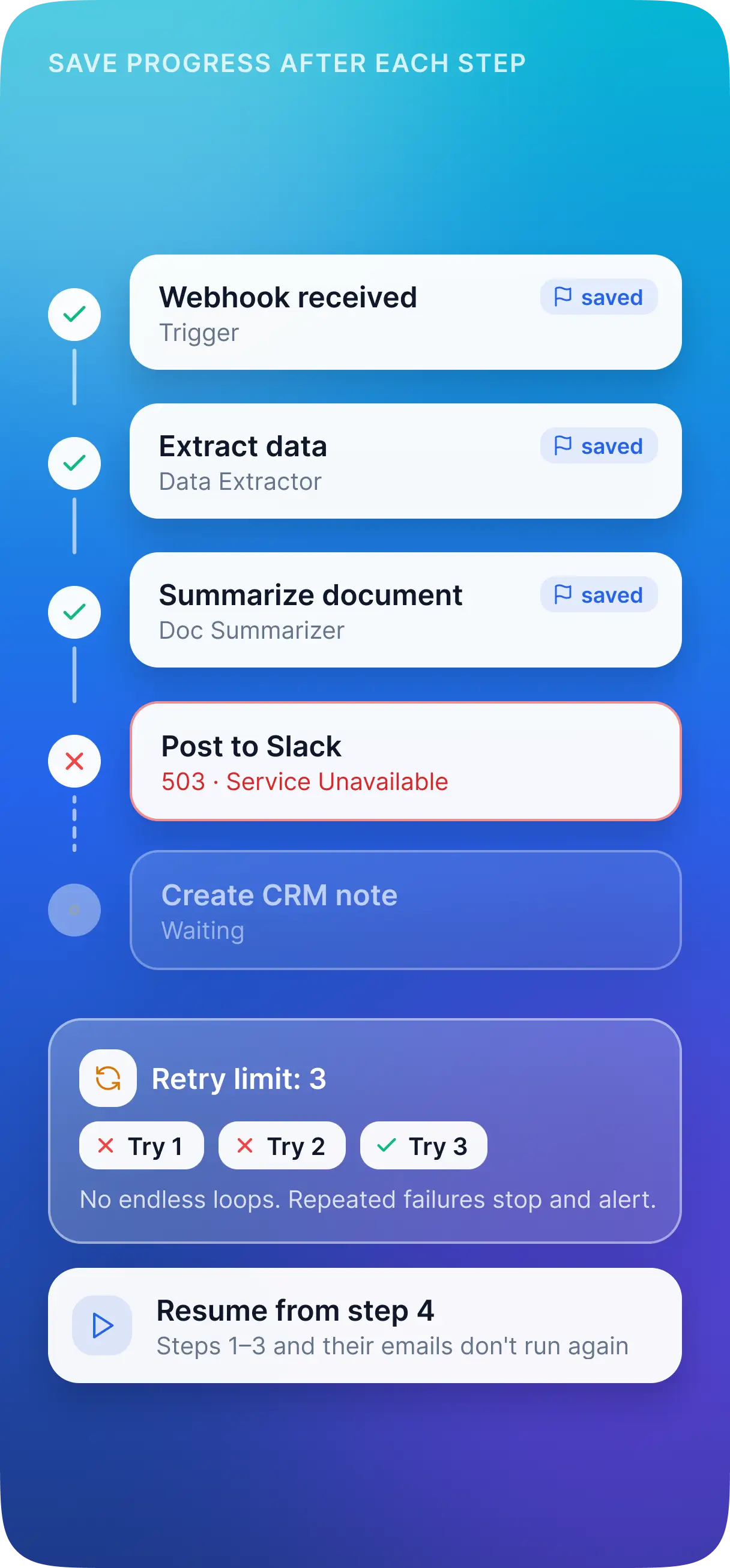
- Save progress after each completed step. PostgreSQL stores execution states and successful step results. When a later step fails, checkpoint-based recovery allows the workflow to resume from that point. Retry limits keep repeated failures from creating endless execution loops.
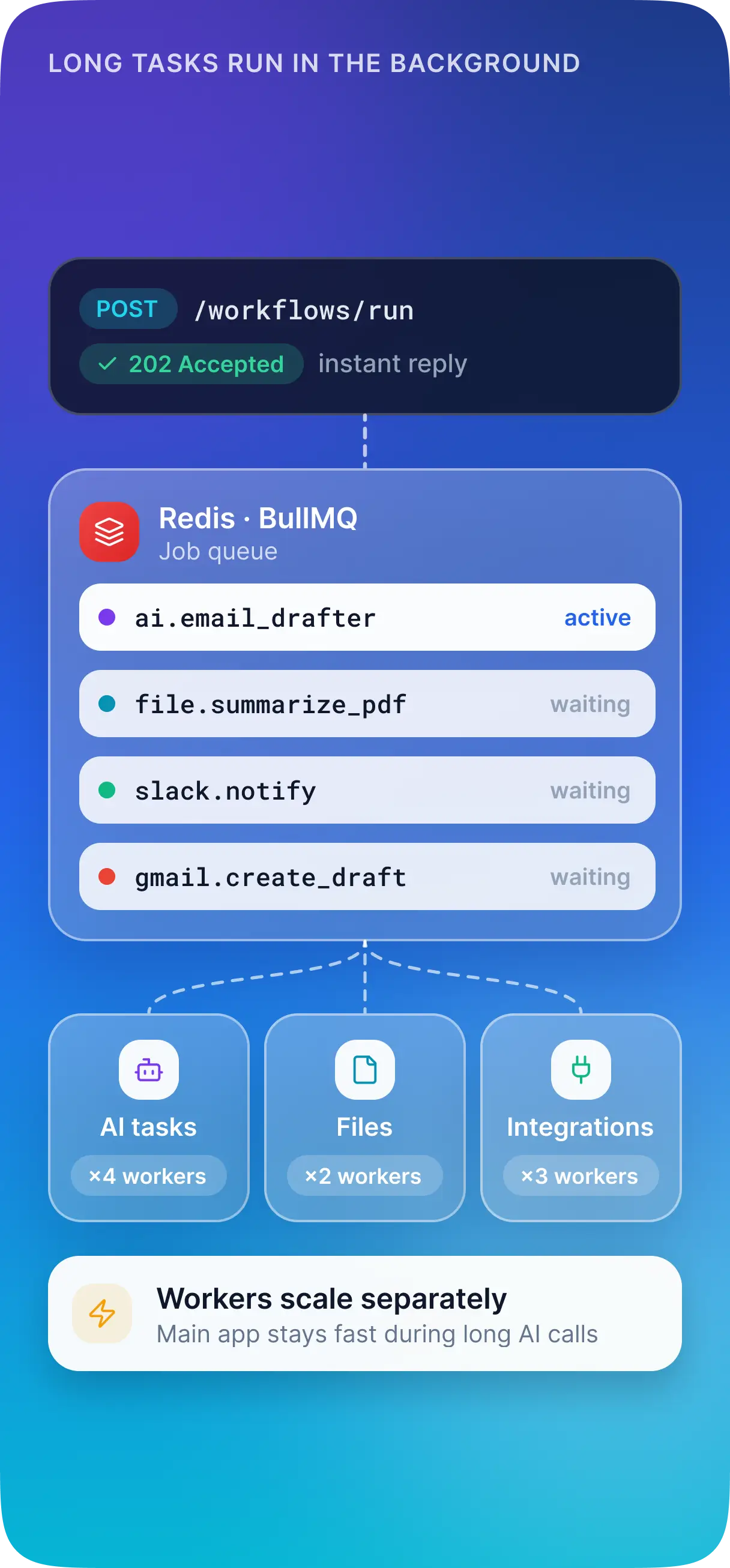
- Move lengthy operations into background jobs. Redis and BullMQ separate workflow processing from normal API requests. Dedicated workers handle AI tasks, file processing, and integration calls, with worker capacity able to scale separately from the main application.
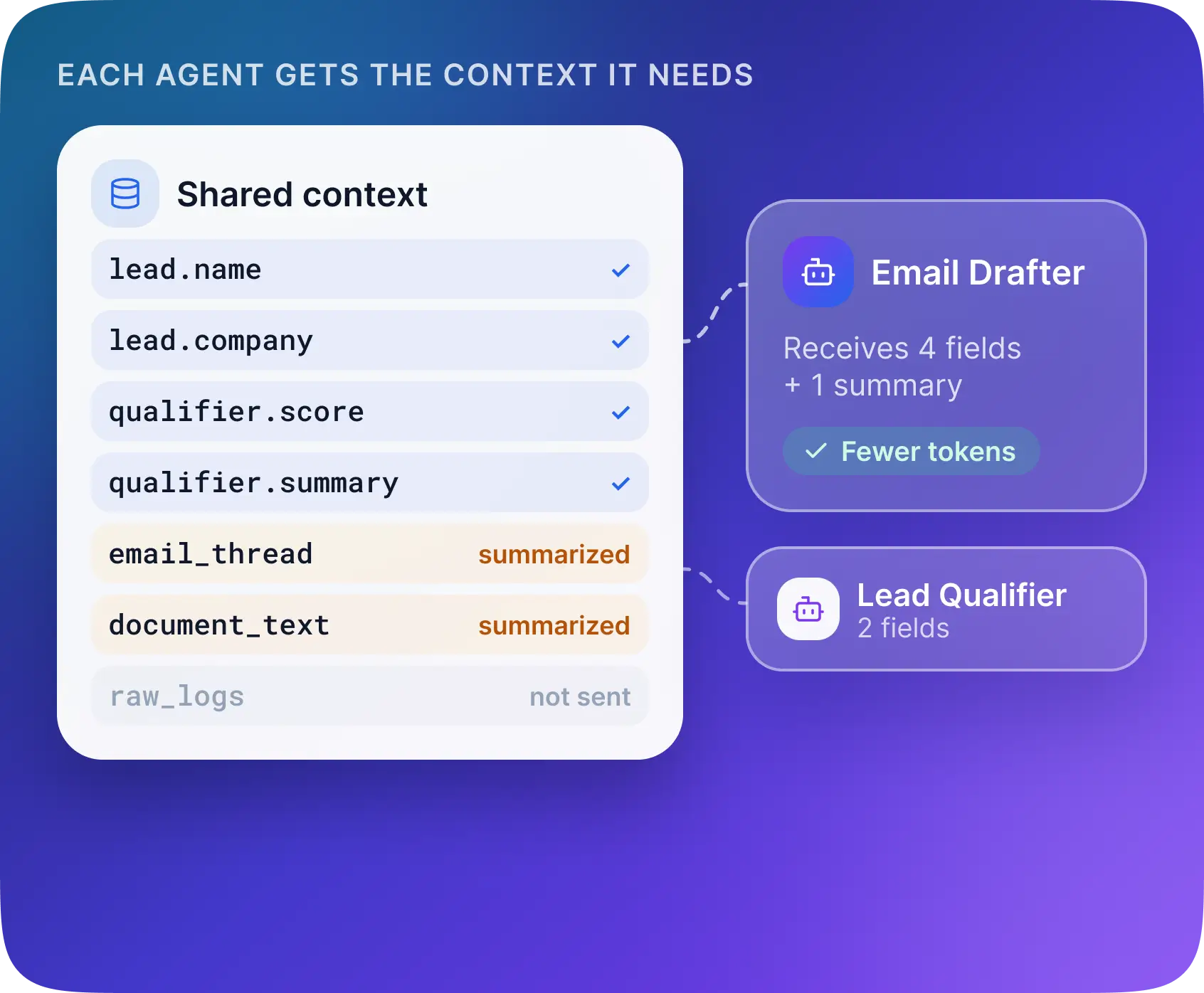
- Give each agent relevant context. A shared workflow context holds structured outputs from earlier steps. Agents receive the information needed for their assigned task, with larger outputs summarized where appropriate.
- Check incoming events before execution. Unique event identifiers stored in PostgreSQL and Redis help identify events that have already been processed, reducing duplicate workflow runs from repeated webhook deliveries.
Development & Framework
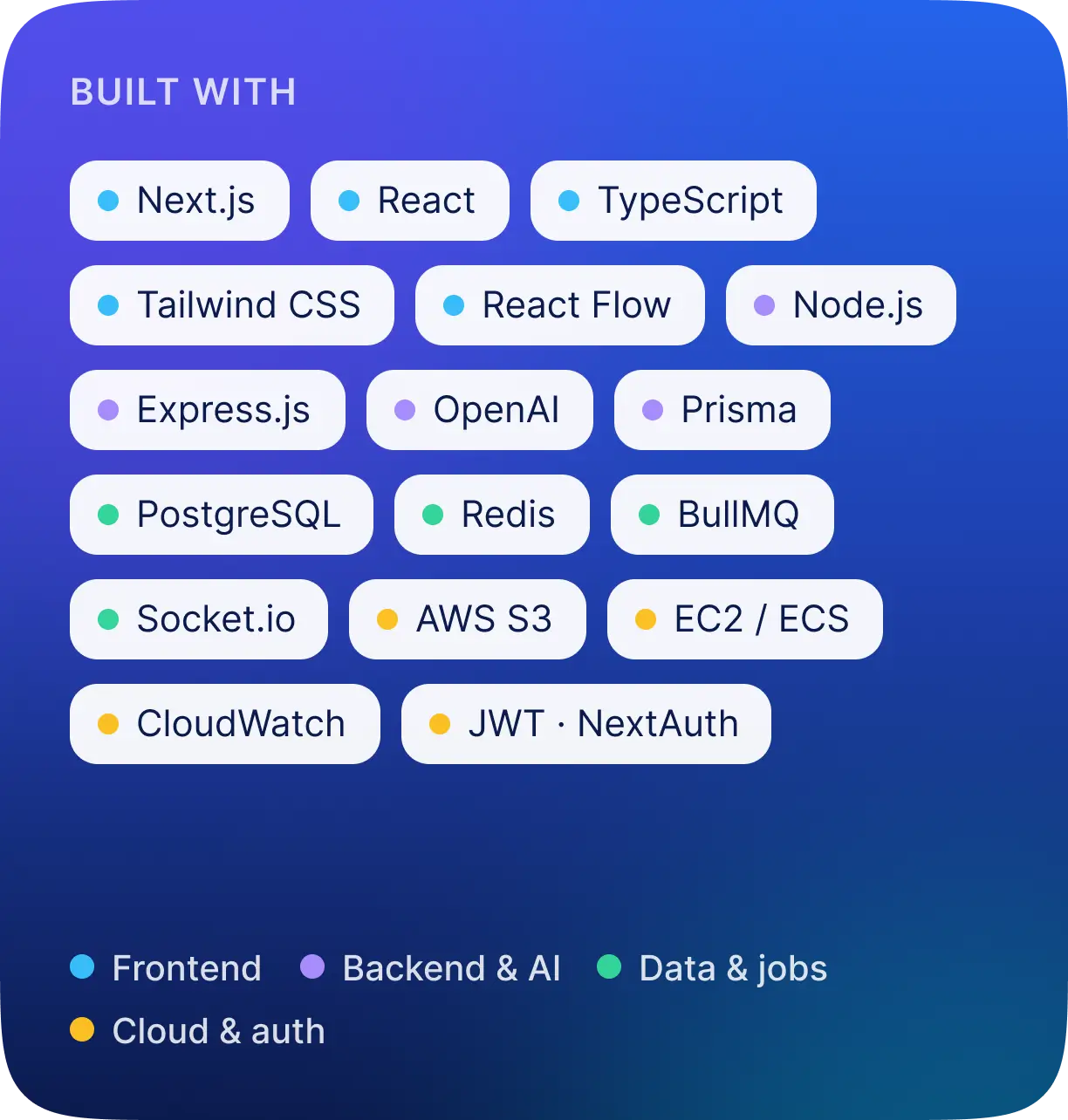
- Frontend: Next.js, React, TypeScript, Tailwind CSS
- Visual Workflow Editor: React Flow
- Backend: Node.js, Express.js
- Database: PostgreSQL
- Database Access: Prisma ORM
- AI and Agent Orchestration: OpenAI GPT models, structured outputs, tool calling
- Background Processing: Redis, BullMQ
- Real-Time Communication: Socket.io
- Authentication Options: JWT or NextAuth
- File Storage: AWS S3
- Deployment Options: AWS EC2 or ECS
- Monitoring: AWS CloudWatch
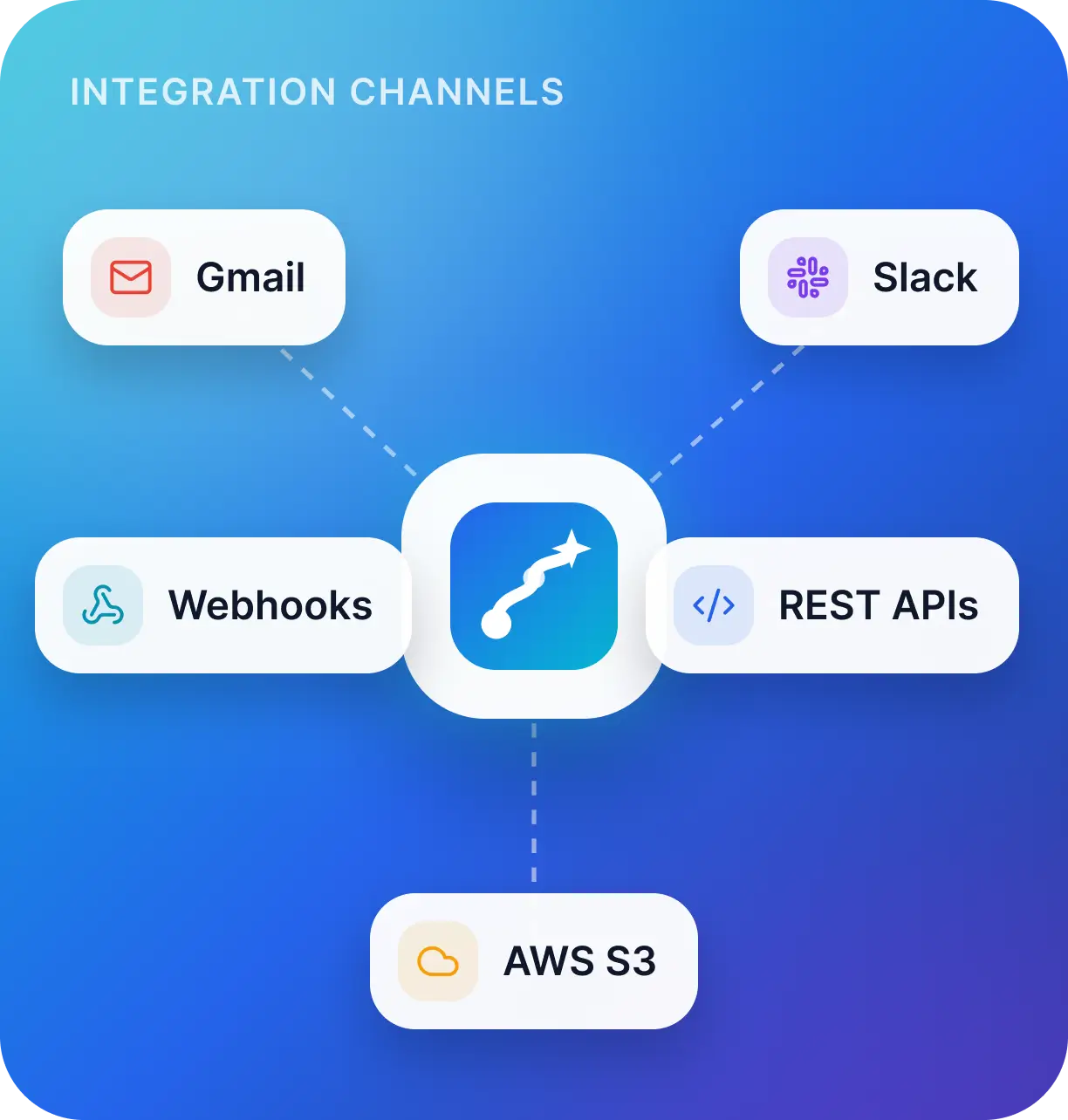
- Integration Channels: Gmail, Slack, webhooks, REST APIs
Key Features
Natural Language Workflow Builder
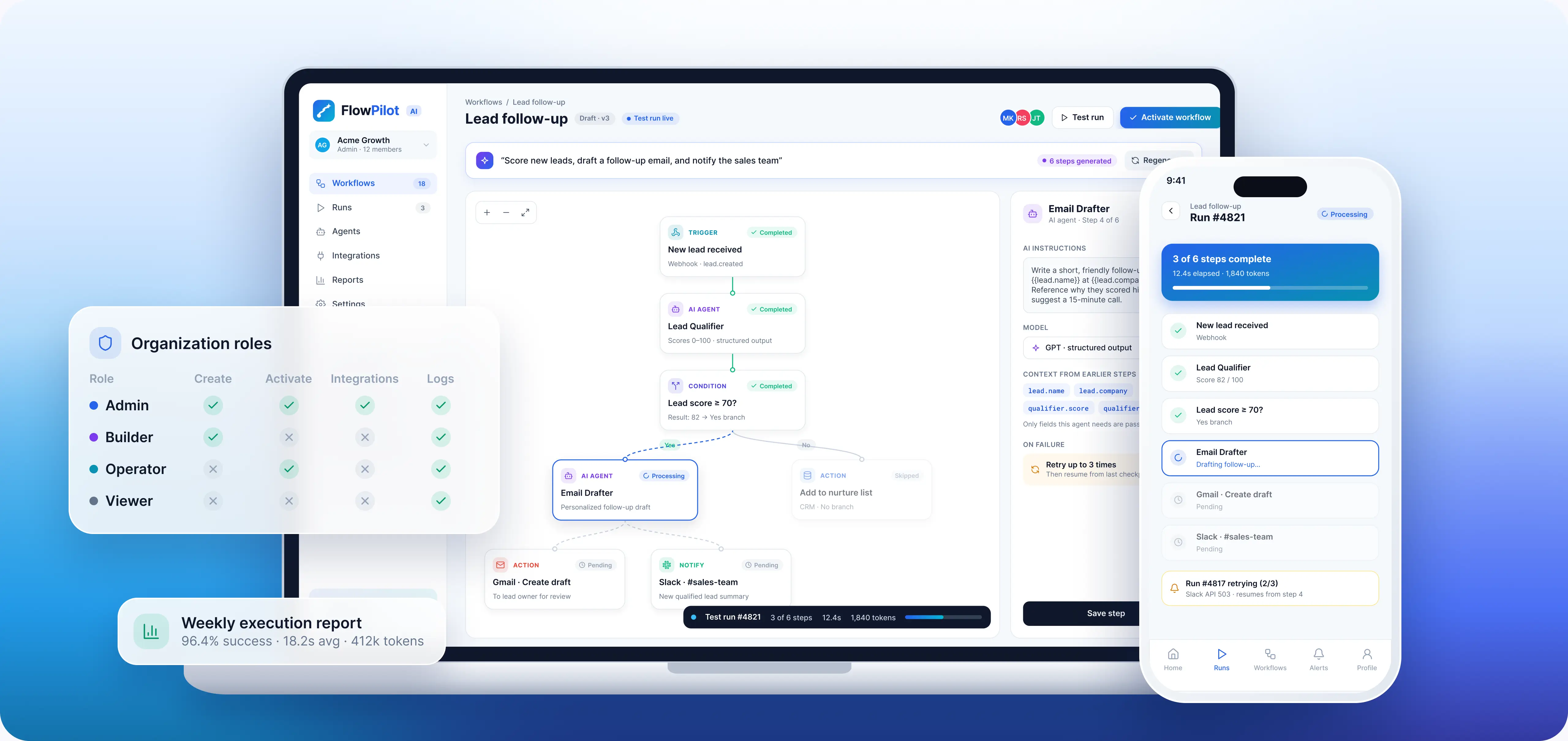
Describe a process in plain English and get structured steps to review, edit, and enable in a visual editor before activation.
Specialized AI Agents
Dedicated agents qualify leads, draft emails, summarize documents, extract data, and classify customer requests.
Connected Business Integrations
Gmail, Slack, webhooks, and REST APIs move AI outputs into the business tools teams already use.
Real-Time Workflow Monitoring
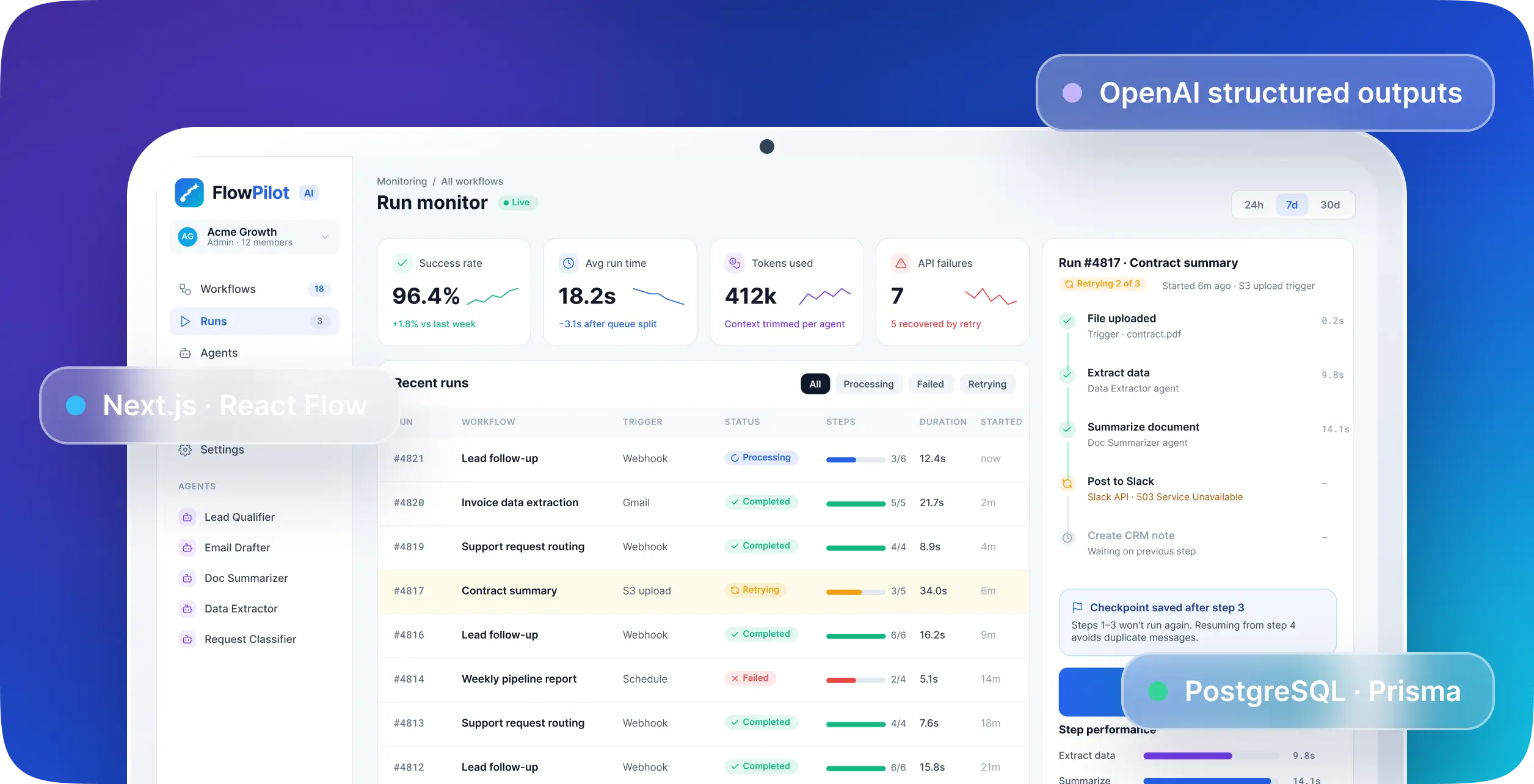
Follow each step as it runs, inspect failures and retries, and review success rates, run times, and token usage.
Structure/Layout
The workspace centres on a visual workflow builder. Users enter a process in natural language, then review the generated steps as connected nodes. They can add or remove actions, change conditions, adjust AI instructions, and enable or disable individual steps before activating the workflow. Specialized agents handle responsibilities such as lead qualification, email drafting, document summarization, data extraction, and customer-request classification. APIs and webhooks connect those outputs to business tools, allowing a workflow to move from analysis to action. The monitoring dashboard shows active runs, completed steps, failures, and retries. Execution reports bring together success rates, average run times, token usage, API failures, and individual step performance, helping teams identify where a process needs improvement. Organization roles control who can create workflows, activate automation, manage integrations, or view execution logs. Team members get access according to their responsibilities, while administrators manage the wider workspace.
Branding & Visuals
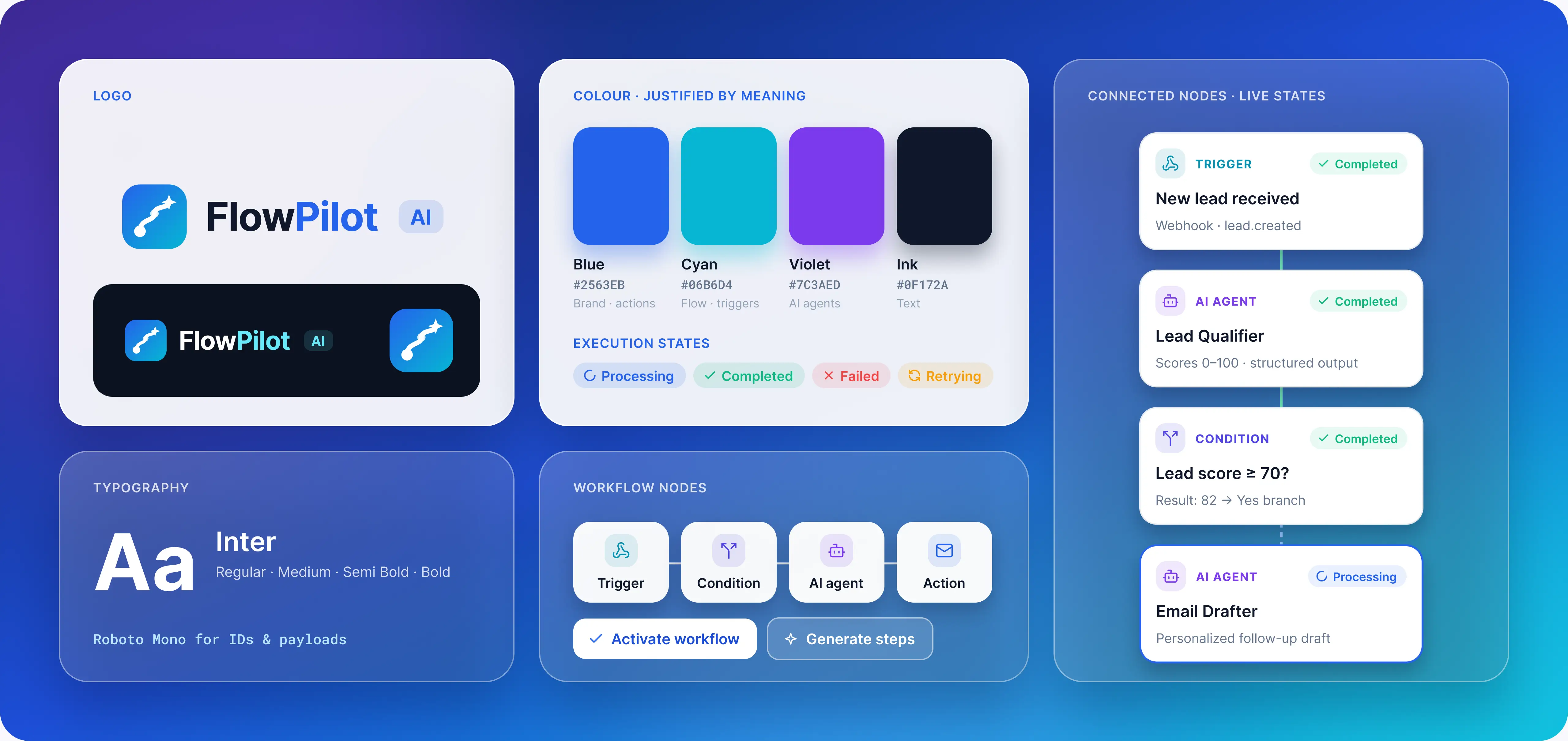
The visual direction focuses on making multi-step automation easy to follow. Connected workflow nodes show how a trigger leads to conditions, AI processing, and business actions, giving users a clear view of the process before it runs.
- Execution states need to be equally clear. Processing, completed, failed, and retrying steps help users understand what is happening without searching through technical logs for every update.
- The interface brings workflow editing, monitoring, and reporting into a consistent experience.
- Users can start with a plain-language request, look closer at the individual steps, and return to the dashboard to follow the work.

Start Your Journey With Us
Looking for AI workflow automation built around your business processes? Red Star Technologies can help you connect AI agents, business tools, and operational workflows in a custom platform.
Tell us which tasks take up your team's time, and let's explore how to automate them.
Discuss Your AI Automation Project